Give your conversations a home.
Text channels with history, images and files. Organize your topics into categories and find your own rhythm.

One more round. One more idea. A little longer in voice. Squorli gives your community a home you can host yourself.
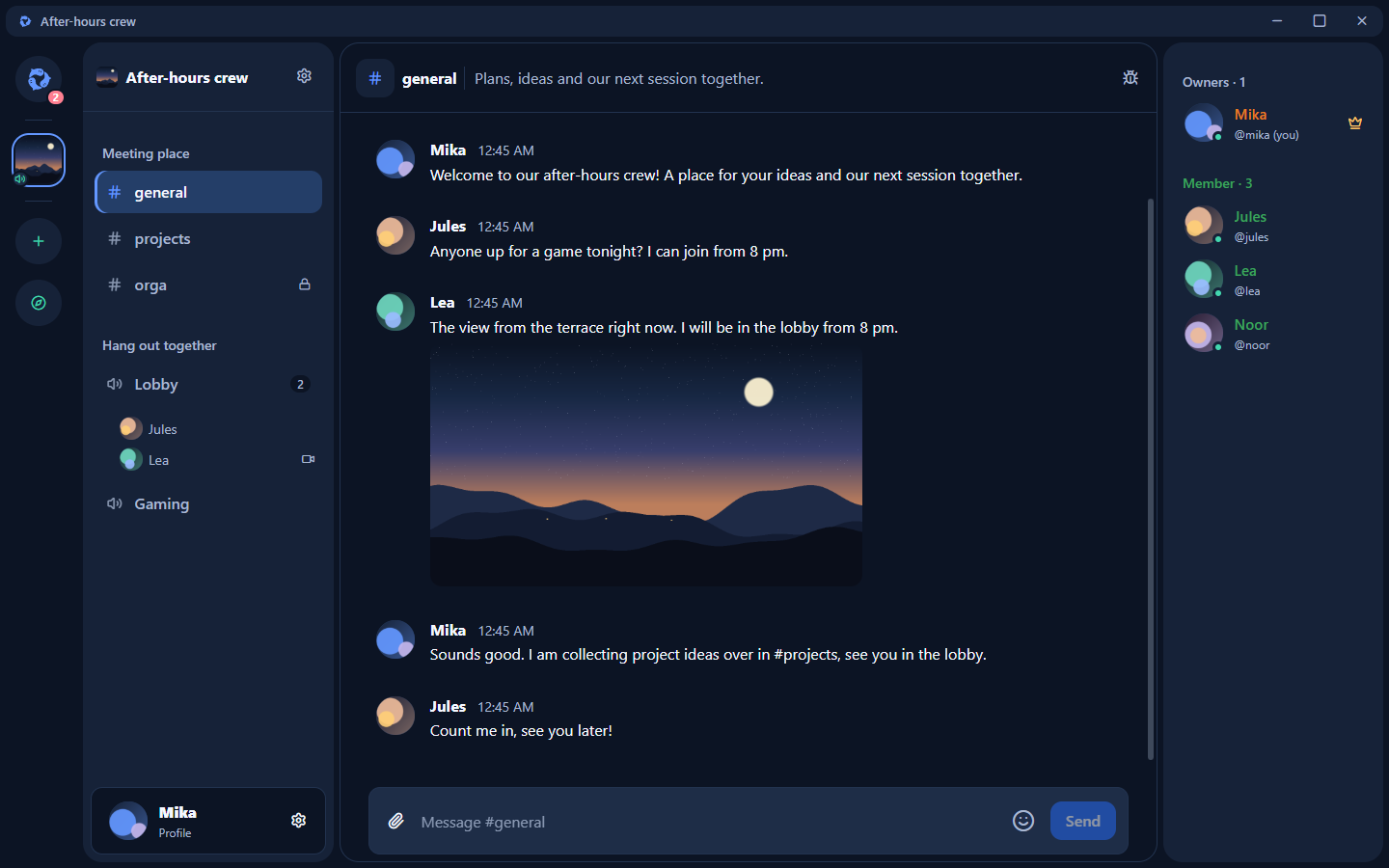
A meeting place for your gaming crew, your next project and the conversations in between.
Text channels with history, images and files. Organize your topics into categories and find your own rhythm.
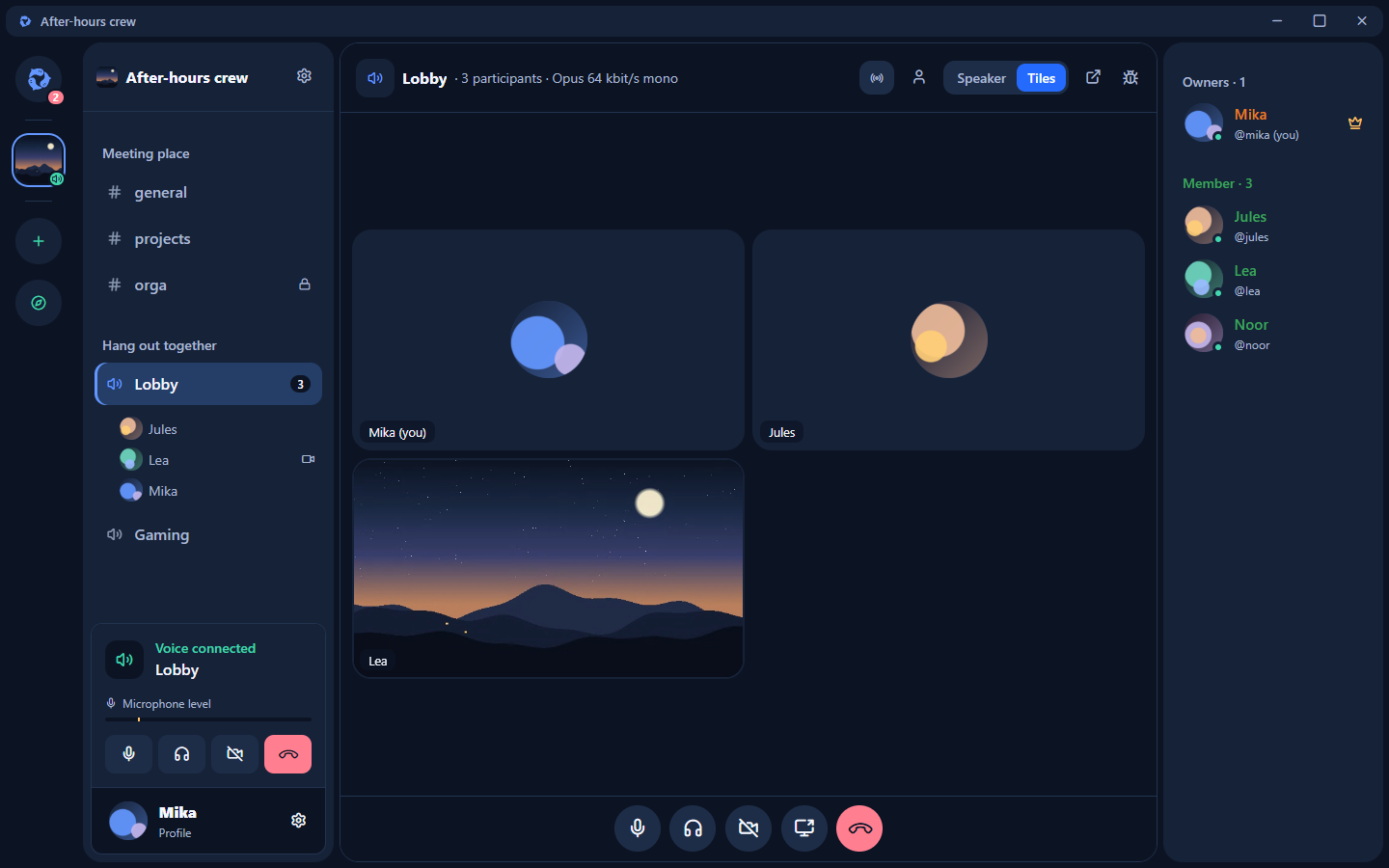
Voice channels with voice activation or push-to-talk. Turn on your camera, share your screen and keep things moving.
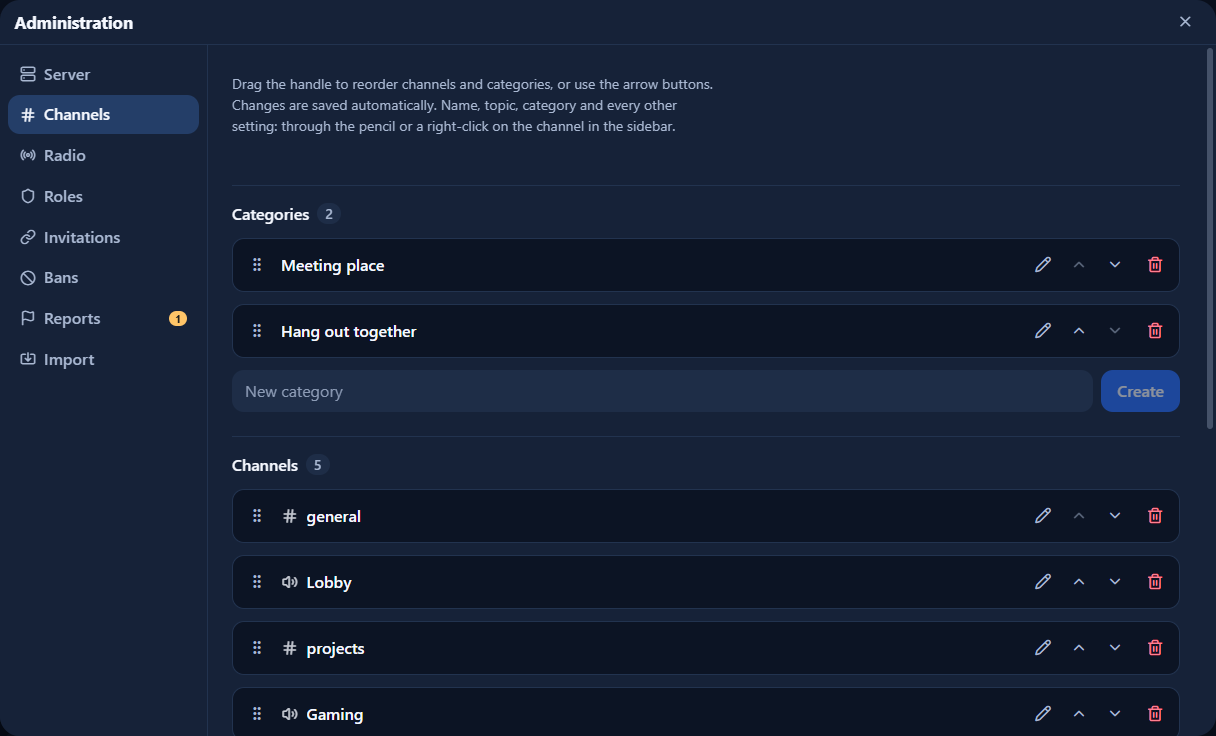
Arrange channels, categories and roles with drag and drop. Invitations, role permissions and moderation let you decide who joins and what they can do.
Web radio, Twitch and YouTube in your voice channel. Members with permission choose the source; everyone controls their own volume. YouTube videos support shared playback controls.
View cameras and screen shares fullscreen or in a separate window. Twitch and YouTube players can open in their own windows too.
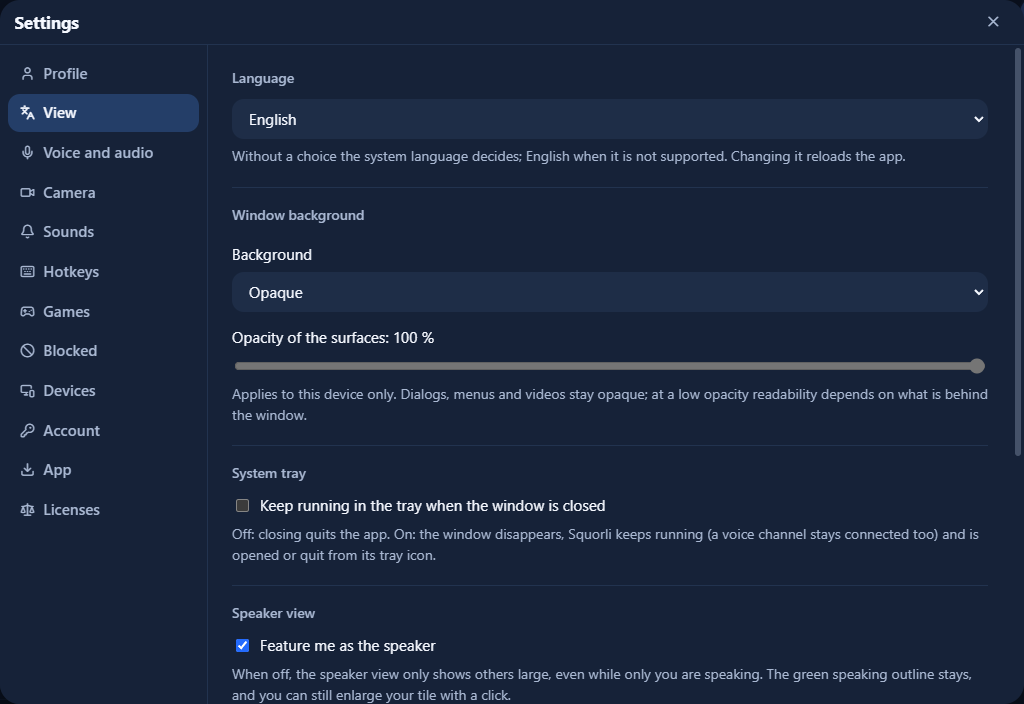
With a Directory account, language, speaking mode, camera options and notification sounds follow you across connected servers. Device selection stays in each browser.
Real captures of the desktop app with a fictional community. Every feature the way you use it every day.
Voice activation or push-to-talk, camera and screen sharing. The channel view shows everyone as tiles or whoever is speaking; any video can move to its own window or go fullscreen.
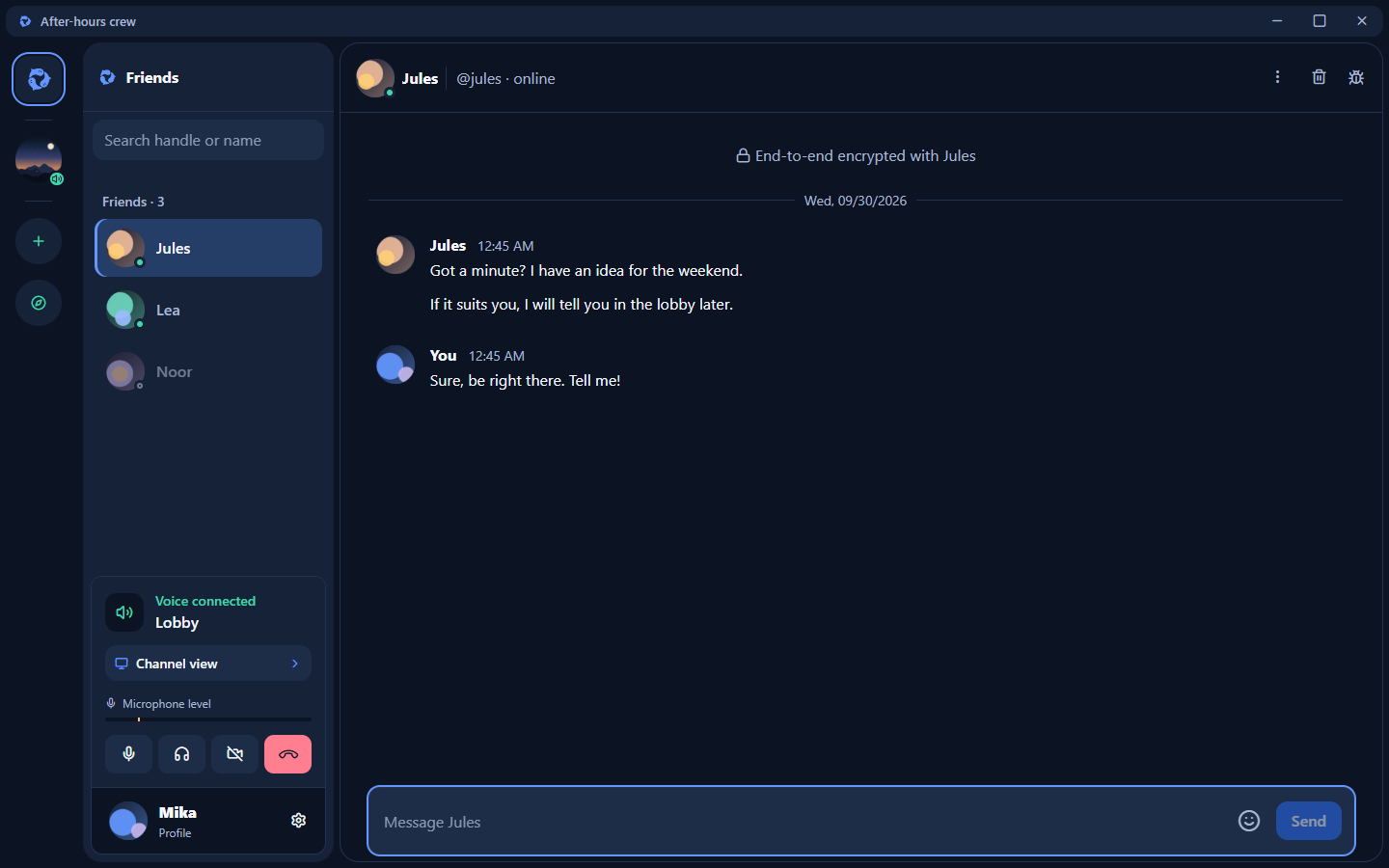
With a Directory account you see which friends are online and message them directly. Direct messages are end-to-end encrypted: the Directory only carries ciphertext.
Arrange text and voice channels by drag and drop, set topics and audio quality, and grant permissions through roles. Invitations, bans and the AFK channel are part of it.
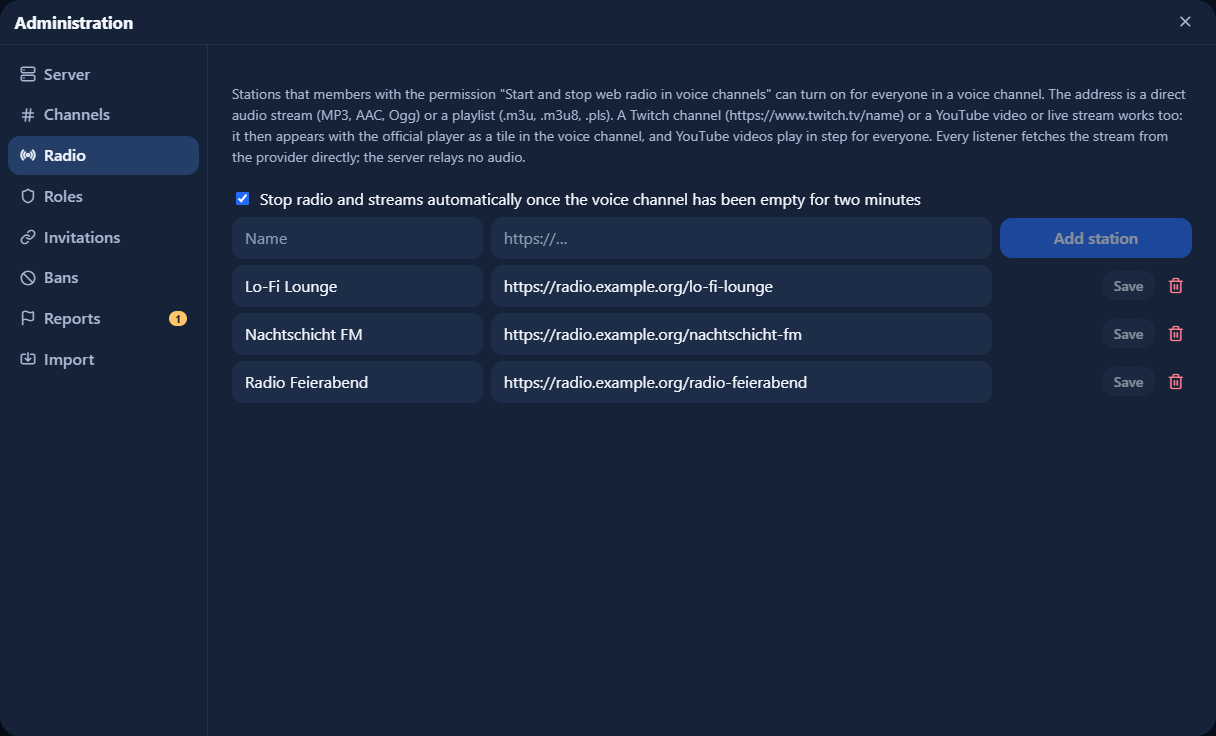
Members with permission start web radio or a stream in the voice channel; everyone controls their own volume. YouTube videos play in sync for everyone, with shared pause and position.
Language, speaking mode, camera options and sounds follow your Directory account to other servers. The desktop app adds window background, tray and autostart.
Channels · Members · Files
 Squorli Directory
Squorli Server runs on your infrastructure. You manage your channels, members and server data – and can inspect the source code yourself.
Squorli Directory connects your handle to your identity. Discover public servers, stay in touch with friends and send each other direct messages.
@mikaSquorli DirectorySquorli Directory is a separately operated service and is not open source. End-to-end encryption applies to direct messages, not server channels or voice.
Only if you want to create your own meeting place. As a member, open an existing Squorli Server in your browser. Find public servers in the Directory.
No. Squorli Server can run without the Directory. Global handles, key backup, server discovery, friends and direct messages require the Directory connection.
Squorli Server and its web client are licensed under the Apache License, Version 2.0. The license and third-party notices are available in the server repository and in the client under Settings > Licenses. Squorli Directory is a separate service and is not open source.
With the appropriate role permission, choose a station or a stream, Twitch or YouTube address for the voice channel. YouTube videos follow shared play, pause and seeking controls; live streams are controlled individually. Browsers connect directly to the provider, which therefore sees listeners’ IP addresses. You can turn playback off for yourself to end that connection.
Text, voice, video, screen sharing, friends and direct messages are implemented; webcam and screen share transmission have been tested successfully. Squorli is actively developed. Restrictive-network tests are still pending. A desktop app for Windows and Linux is available for download as an early version; macOS follows later. Screen audio works in supported Chromium browsers and in the desktop app on Windows.
Your first Squorli Server starts with a single command on a Linux server or a package for Windows. Follow the guide through setup, connection and your first steps.
Start your own server